URGENT UPDATE: Six transformative browser extensions are revolutionizing workflow efficiency for users of Chrome and Edge right now. These tools promise to alleviate common digital frustrations such as tab overload, distraction, and inefficient documentation methods.
Among these standout solutions, OneTab emerges as a game-changer for anyone overwhelmed by numerous open tabs. By simply clicking its icon, users can convert all open tabs into a single list, significantly enhancing computer performance and mental clarity. This extension is particularly beneficial for users juggling multiple projects or conducting extensive research, allowing them to clear their workspace without losing valuable information.
Next, Tango is taking the pain out of documentation. This innovative extension records user actions and auto-generates detailed step-by-step guides complete with screenshots. Ideal for onboarding and training, Tango saves time and effort by creating reusable visual guides that eliminate the need for tedious manual documentation.
Meanwhile, Scholarcy addresses the challenge of navigating dense academic papers. It reads PDFs and extracts key information, delivering structured summaries that enable users to synthesize research quickly. This tool can reduce hours of reading to just a focused 20-minute scan, making it essential for students and professionals alike.
Reading online content is also becoming less of a chore with Dark Reader and Reader Mode. Dark Reader adjusts website color schemes, reducing eye strain while enhancing readability. When paired with Reader Mode, which strips away distracting elements from articles, users can enjoy a streamlined reading experience, perfect for late-night research sessions.
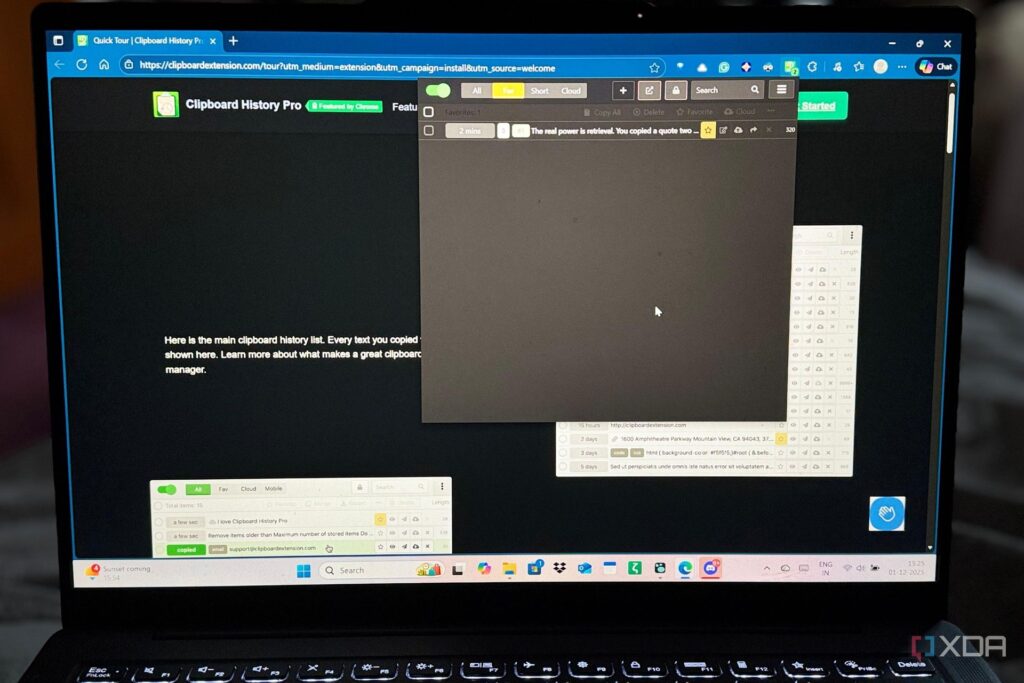
Finally, Clipboard History Pro is revolutionizing how users manage their clipboard. Instead of limiting users to a single copied item, this extension saves numerous entries, making it easy to retrieve previously copied text, URLs, or images. This feature is especially valuable for writers and researchers who often switch between various sources and need quick access to their clipboard history.
These six extensions are not just tools; they are solutions that empower users to regain control over their digital workflow without the burden of complex setups or learning curves. With their immediate availability and user-friendly designs, these extensions are poised to become essential for anyone looking to boost productivity in their online activities.
What’s Next? Users are encouraged to explore these extensions immediately to experience the transformative effects on their workflows. As the digital landscape continues to evolve, staying equipped with the right tools is crucial for optimizing productivity and managing the complexities of browser-based work.