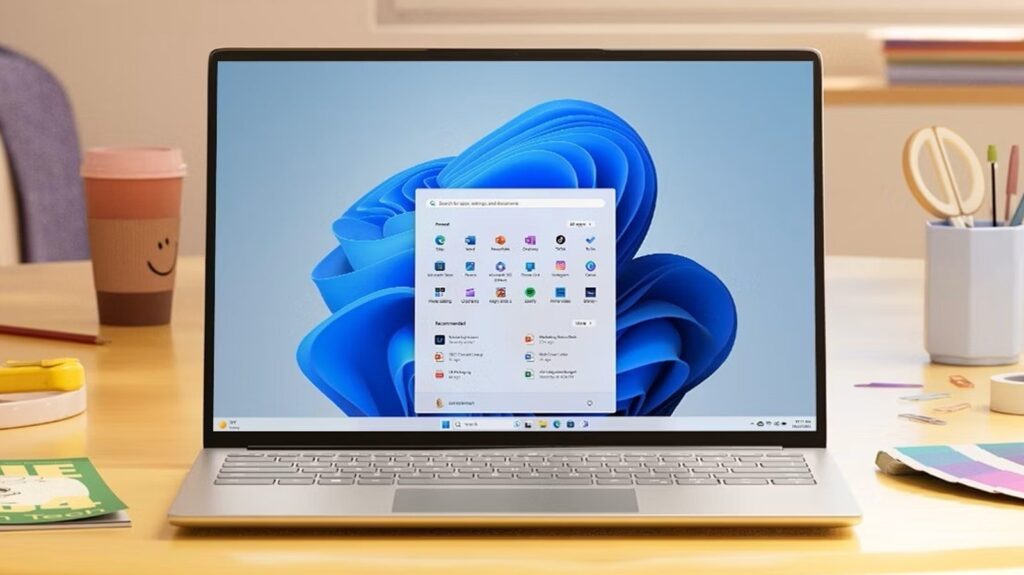
Microsoft has announced significant updates to the Start Menu in Windows 11, aiming to address widespread user dissatisfaction. This overhaul comes amid a notable decline in consumer sentiment towards the operating system, as indicated by reactions to Microsoft executives and an increase in Linux installations as Windows 10 reaches its end of life.
The changes to the Start Menu are intended to streamline the user experience, which many have criticized for becoming overly complicated. Users have expressed frustration with the integration of artificial intelligence features, which some believe have detracted from the core functionality of the operating system. Since the launch of Windows 11, the Start Menu has been a focal point of this dissatisfaction, particularly due to its complex layout and the presence of ads.
Redesign Highlights and User Benefits
The redesigned Start Menu seeks to return to a more user-friendly format, reminiscent of earlier versions of Windows. It now features a wider layout, allowing for eight applications per row compared to the previous six. The search bar remains at the top, with pinned items directly below. Users can now expand or collapse pinned items into a larger grid, eliminating the need to scroll through multiple pages.
While the Recommended section is still included by default, users now have the option to disable it through the Settings menu. Below the pinned and recommended items, a comprehensive list of installed apps is readily accessible, allowing for a smoother navigation experience. This change addresses a major complaint regarding the difficulty of accessing the full app list in prior versions.
The updates also introduce flexibility in how apps are organized. Users can choose from an alphabetical list, an alphabetical grid, or categorize them into folders. Features such as quick access to content from smartphones via Phone Link are still available, enhancing the overall functionality of the Start Menu.
Persistent Issues and User Feedback
Despite these improvements, several long-standing complaints remain unaddressed. The search function still yields excessive results, including web links and Microsoft Store applications, which can only be refined through extensive system adjustments. Additionally, disabling the Recommended section limits functionality, including the visibility of recently accessed files in File Explorer and Jump Lists.
Another notable omission is the inability to resize the Start Menu, a feature present in Windows 10 that many users found beneficial, especially on smaller displays. Users also miss the option to categorize pinned items into different folders, which was available in earlier iterations of the software.
Overall, while the redesign of the Start Menu represents a positive step towards improving user experience in Windows 11, it highlights the challenge Microsoft faces in balancing new features with traditional user preferences. The company’s ongoing focus on integrating AI might overshadow the fundamental needs of its user base. As Microsoft continues to navigate these complexities, the response from Windows 11 users will be crucial in shaping future updates.