Tracking visitor behavior on WordPress has become essential for website owners aiming to enhance user experience and drive growth. Utilizing Google Analytics, specifically the latest version known as GA4, allows users to monitor site traffic effectively and gain valuable insights into their audience.
Setting up Google Analytics on a WordPress site involves several key steps. First, users need to create a Google Analytics account if they have not done so already. This process includes specifying the website’s name, URL, and industry category, as well as selecting the reporting time zone. Once the account is established, users can obtain a tracking ID, which is crucial for connecting the website to Google Analytics.
Integrating GA4 with WordPress
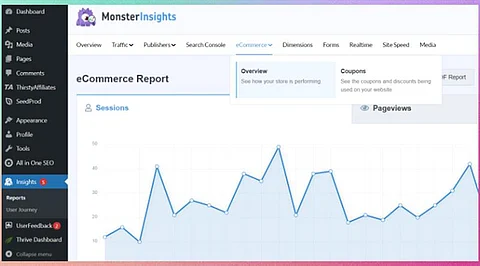
To integrate GA4 with WordPress, users can either manually insert the tracking code into the site’s header or use a plugin for a more streamlined setup. Many website owners opt for plugins like MonsterInsights or Site Kit by Google for ease of installation. These tools not only facilitate the integration but also provide additional features that enhance tracking capabilities, such as detailed reports on user engagement and behavior.
Once integrated, website owners can start setting up specific reports within GA4. These reports can track various metrics, including page views, user demographics, and traffic sources, which are crucial for understanding how visitors interact with the site. Custom events can also be configured to monitor specific actions, such as downloads or form submissions, providing deeper insights into user behavior.
Enhancing Traffic Monitoring for Growth
Improving traffic monitoring is pivotal for strategic growth. By analyzing data from Google Analytics, WordPress site owners can identify which content resonates most with their audience. For instance, metrics such as bounce rates, average session duration, and conversion rates can inform decisions regarding content creation and marketing strategies.
Effective traffic monitoring leads to smarter growth strategies. For example, if a particular blog post generates high traffic but low conversion rates, it may prompt the site owner to revise the call-to-action or enhance the content quality to better meet audience expectations. Similarly, understanding traffic sources allows for targeted marketing efforts, optimizing advertising budgets for better returns.
Moreover, Google Analytics provides features that help track the performance of campaigns across different channels. This capability ensures that site owners can measure the effectiveness of their social media marketing, email campaigns, and paid advertisements, allowing for a more focused approach to audience engagement.
In conclusion, mastering visitor tracking on WordPress through Google Analytics is not just a technical task but a strategic necessity. By leveraging GA4 and its comprehensive reporting features, website owners can gain critical insights that drive smarter growth and foster a more engaging user experience. The ability to analyze and adapt based on visitor behavior is what sets successful websites apart in an increasingly competitive digital landscape.