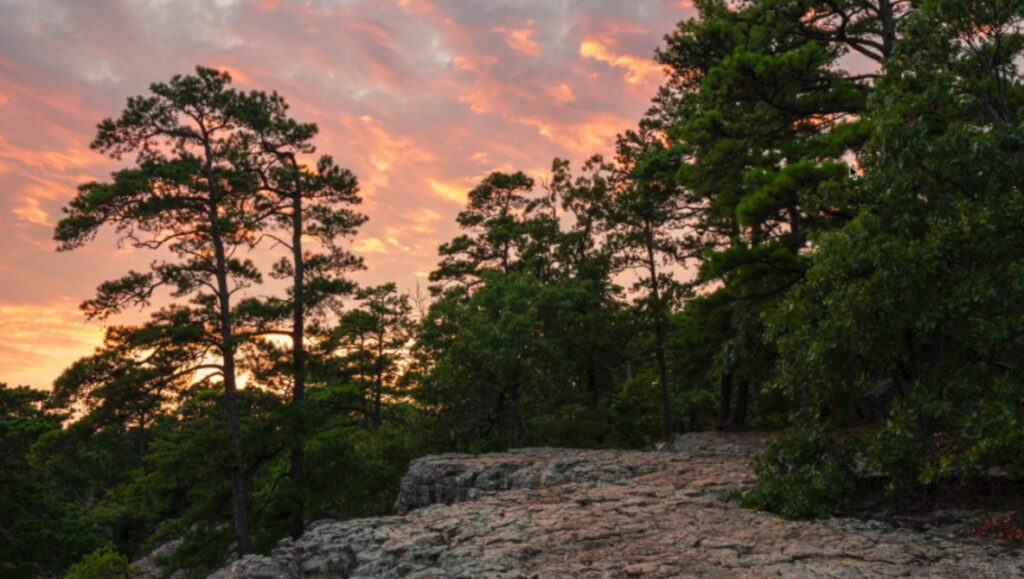
Editing raw landscape photographs in Lightroom is essential for transforming images from mundane to visually captivating. A recent video by photographer Scott outlines a comprehensive workflow that prioritizes realism over exaggerated edits. This approach is beneficial for anyone looking to enhance their landscape photography while maintaining the integrity of the original scene.
Scott begins his tutorial by addressing the often-overlooked camera profile and the Auto button in the Develop panel. He advocates for selecting the Adobe Landscape profile, which provides richer shadows and colors as a foundation, rather than starting with a flat default profile. By using the Auto feature, Scott allows Lightroom to generate initial tonal adjustments. This step is not meant to serve as a final result but as a guide to where the image naturally wants to go.
Next, he emphasizes the importance of adjusting the white balance based on personal memory of the scene rather than relying solely on the camera’s automatic settings. Scott demonstrates how to modify tint and temperature to reflect the colors he remembers, reminding viewers that trusting one’s own perception can lead to more authentic results.
Key Techniques for Effective Editing
As Scott progresses through the editing process, he introduces a simple guideline: avoid pushing any slider to 100% unless absolutely necessary. This principle helps maintain a natural look. He expertly sets the white and black points using Lightroom’s shortcuts and makes fine adjustments while being mindful of potential clipping issues.
When it comes to enhancing texture, clarity, and dehaze, Scott treats these adjustments as specialty tools to be applied sparingly and selectively, rather than universally across the entire image. He differentiates between vibrance and saturation, explaining that vibrance affects softer colors while saturation modifies everything simultaneously. This distinction clarifies why excessive saturation can detract from the quality of landscape images.
Scott uses the tone curve as the primary source of contrast, employing a gentle S-curve or a medium-contrast preset to achieve desired effects without over-relying on basic panel adjustments. Color work remains subtle, utilizing both the color mixer and color grading tools to push the image toward the actual colors experienced in the field, rather than succumbing to trendy palettes. He primarily applies color grading to highlights, toggling the effect on and off to ensure the changes are impactful yet discreet.
The process of sharpening is approached as a means of refinement rather than correction. Scott stresses that if focus was not achieved originally, neither Lightroom nor Photoshop can rectify it. He zooms into the image at 100% to select detailed areas and employs masking techniques to ensure sharpening enhances edges and textures while preserving smooth tones in the sky.
Advanced Tools and Finishing Touches
As the editing continues, Scott highlights the distinction between quick edits and more thoughtful adjustments. He activates lens corrections and transformations, including chromatic aberration removal and profile corrections, to eliminate fringing and vignetting before finalizing the image.
Instead of relying on the Effects panel for vignetting, Scott constructs a custom vignette using a radial filter, allowing him to control the darkening effect precisely and adjust the softness of the transition. Sky masks, combined with linear gradients, enable him to darken the upper sky while preserving the integrity of the lower portions, resulting in a natural falloff. The intersect and subtract options ensure that trees remain distinct and do not blend together.
In a final touch, Scott returns to the image at 100% to inspect for distractions, sensor dust, or other imperfections. He utilizes Lightroom’s advanced removal tools while still prioritizing a manual check to ensure nothing is overlooked.
For those interested in enhancing their landscape photography skills, the video tutorial by Scott serves as an invaluable resource. It emphasizes the importance of a grounded approach to editing, ultimately allowing photographers to create images that reflect their true experiences in nature. To explore more about landscape photography, viewers can also check out the tutorial offered by Alex Cooke, a Cleveland-based photographer and meteorologist, who brings his unique perspective to the art.