UPDATE: New reports confirm that Wi-Fi signal strength indicators are misleading, leaving users frustrated with slow connectivity despite full bars. This urgent issue affects countless individuals relying on wireless internet at airports, cafés, and in their own homes.
Users often experience sluggish performance on their devices, where apps like Instagram fail to load and web pages take forever to open, all while the Wi-Fi symbol shows a full signal. This deceptive display leads many to blame their Internet Service Provider (ISP) or outdated routers, but the real problem lies within the technology itself.
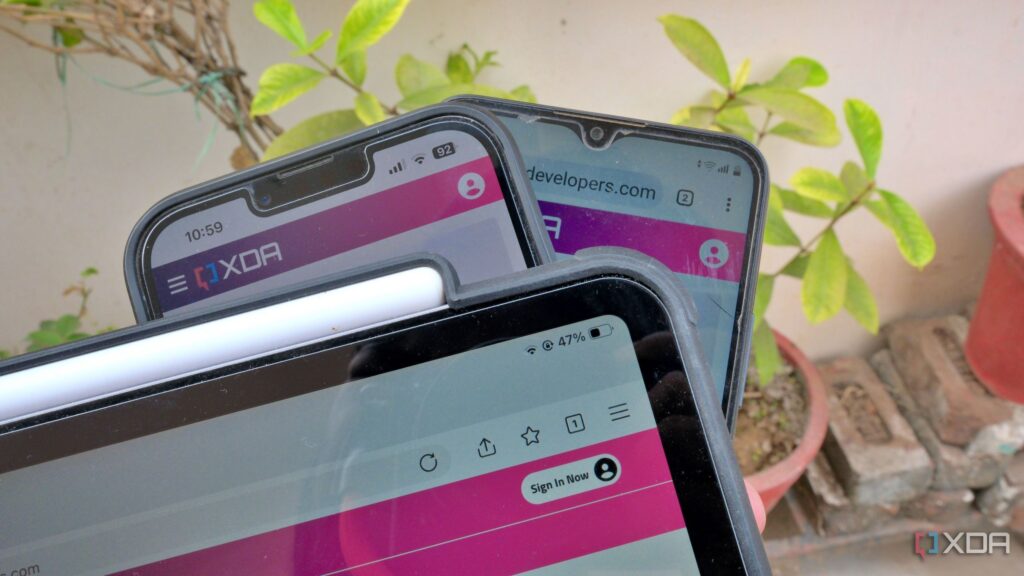
The Wi-Fi signal bars are intended to represent the strength of the connection between devices and the router, but they do not accurately reflect real-world performance. For instance, while connecting devices like an Android 11 phone, an iPhone 13 Pro Max, and an iPad Pro to a home network’s 2.4 GHz band, users can see similar signal strengths yet experience vastly different speeds during tests. Initial speed tests may yield great results, but subsequent attempts often worsen, indicating that full bars do not guarantee adequate performance.
Experts warn that several factors can undermine Wi-Fi performance, including physical obstructions like walls or furniture, which can weaken the signal and reduce data speeds. Furthermore, many users overlook the implications of network congestion caused by overlapping channels with neighbors’ Wi-Fi networks. This interference can lead to unpredictable performance, even when devices show full bars.
The Wi-Fi symbol fails to convey critical information about network quality, such as the number of devices connected at once or the latency affecting your connection. Users are encouraged to conduct speed tests to gain a clearer picture of their connection quality, as only then can they measure latency, jitter, and packet loss. These metrics are essential for ensuring smooth video calls and uninterrupted audio streaming.
In a shocking revelation, not all Wi-Fi devices are created equal. Devices equipped with different antenna hardware and radio power limits may connect inconsistently, leading to varying performance even with strong signals. For instance, while laptops may perform well with only two or three bars, portable devices like phones may struggle under the same conditions.
Users are advised to optimize their home networks by modifying router settings to improve performance, especially when using multiple frequency bands. It is crucial to avoid using the same SSID across different bands to prevent devices from clinging to the congested 2.4 GHz band instead of switching to the faster 5 GHz band.
As the demand for reliable Wi-Fi continues to rise, the industry must address these challenges to improve user experience. For now, the next time you see those full Wi-Fi bars but face terrible performance, remember: the symbol doesn’t tell the whole story.
Stay tuned for more updates as this issue develops, and share your experiences with Wi-Fi performance challenges to raise awareness.